

---
IRIS

Did your workers clock in today?

Open IRIS and you have the answer: who clocked in, at which site, at what time and on what evidence. Fingerprint, face, GPS and a signed timestamp behind every punch.

THE FIRST THING YOU SEE

Who arrived today, and with what evidence.

People and machines, each with the proof of its record. No paper sheets and no calls to the supervisor.

People

Sample data
  • Camilo Reyes Almacén · Turno B
    Site Bodega Guayabal Medellín
    Arrival 7:47 AM
    Evidence PhotoFaceGPSTime
    On time
  • Laura Cristina Producción · Turno noche
    Site Bodega Guayabal Medellín
    Arrival 7:52 AM
    Evidence PhotoFaceGPSTime
    On time
  • Lucía Velásquez Mantenimiento · Turno A
    Site Oficina Calle 100 Bogotá
    Arrival 9:09 AM
    Evidence PhotoFaceGPSTime
    Arrived late
  • Santiago Tobón Seguridad industrial · Turno noche
    Site Bodega Fontibón Bogotá
    Arrival 9:18 AM
    Evidence PhotoFaceGPSTime
    Arrived late
  • Catalina Peláez Despachos · Turno noche
    Site Terminal Mamonal Cartagena
    Arrival —
    Evidence No evidence
    Absent

Machinery

Sample data
  • Wheel loader MAQ-0412 · Julián Pardo
    Site Obra Ciudad Jardín Cali
    Start 6:12 AM
    Evidence PhotoQRGPSTime
    Started on time
  • Excavator MAQ-0388 · Hernán Vélez
    Site Planta Norte Bogotá
    Start 6:25 AM
    Evidence PhotoSerialGPSTime
    Started on time
  • Dump truck MAQ-0155 · Sergio Mora
    Site Bodega Guayabal Medellín
    Start 7:11 AM
    Evidence PhotoQRGPSTime
    Started late
  • Forklift MAQ-0271 · Diana Quintero
    Site Terminal Mamonal Cartagena
    Start 7:28 AM
    Evidence PhotoSerialGPSTime
    Started late
  • Skid steer MAQ-0093 · Óscar Rueda
    Site Planta Vía 40 Barranquilla
    Start —
    Evidence No evidence
    No record

See how every punch is verified

HOW WE KNOW THAT PERSON CLOCKED IN

The methods, one by one.

Every check-in goes through these tests: green is what it confirms, red is what it stops.

Fingerprint

Confirms: It is that person's finger

Stops: Someone else clocking in

Face with liveness check

Confirms: They are present, live

Stops: Photos, videos and masks

Verified GPS

Confirms: Their real location

Stops: Fake location apps

Geofence

Confirms: They are inside the site

Stops: Clocking in from outside

Exact time

Confirms: The server time

Stops: Moving the phone's clock forward

Signed evidence

Confirms: Every record is sealed

Stops: Editing it without a trace

Nobody clocks in for a coworker

The phone is tied to the person, so lending it or using another one does not work.

One account per phone

Each phone runs a single account.

One phone in use

Each person has a single active device.

5 business days

The wait to switch phones without prior authorisation.

Allowed networks only Enterprise

Configurable: the app only works on the networks the company authorises.

Confirms: The company network

Stops: Any other network

MACHINERY AND EQUIPMENT

The same proof, applied to your machines.

Before starting, the operator takes a photo of the equipment and another of its QR or serial. IRIS recognises which machine it is, confirms the code, records who is using it and checks that it is where it belongs.
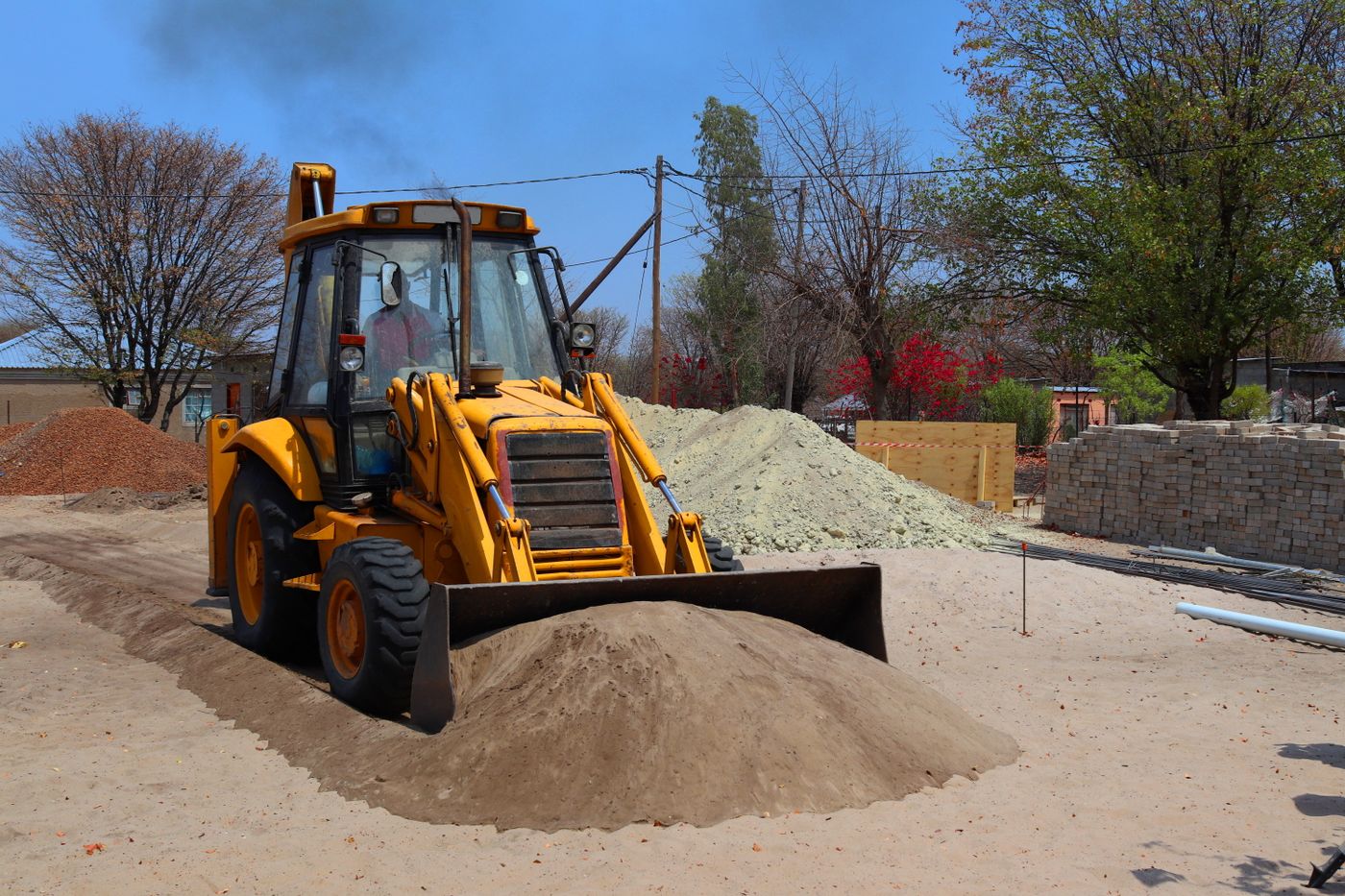
Yellow wheel loader on a construction site with the equipment recognition frame overlaid Operator photo Equipment recognised
Analysing image · Sample result
Photo of the QR or serial Taken together with the equipment photo SN-7741-0412
Equipment recognised Sample result
Equipment
Wheel loader
Internal plate
MAQ-0412
QR or serial
SN-7741-0412
Operator
Julián Pardo
Zone
Ciudad Jardín site · inside geofence
Use started
06:12
01

Identifies which machine it is

The photo is matched against the company's machinery inventory. The operator does not pick from a list: the equipment is recognised from the image.

02

Reads the QR or serial

The photo of the QR or serial is checked against the registered record. Two machines of the same model are never mixed up.

03

Records who uses it and for how long

The machine is tied to the operator who photographed it, with start and end times. Machine-hours come from the record, not from a notebook.

04

Checks it is in an authorised zone

The same geofence that validates attendance validates the equipment. If the machine shows up outside the site perimeter, the record is flagged.

Recognition relies on the machinery inventory you load. Equipment with no record is logged as unidentified — never guessed.

What the system reports

Reports you can actually decide on

Each report answers one concrete question about your operation, with signed, exportable data.

Your report, ready in Excel

By person, site or shift, ready for payroll. Also as a signed PDF or printed.

01

Attendance by site

Compliance percentage for each site or checkpoint, compared against previous cuts.

Filters: range, site, team
02

Punctuality and lateness

Hourly distribution of punches. Spots the windows with most lateness and repeat offenders.

Updated hourly
03

Recorded hours

Total hours per person, site or team. Used to settle shifts, overtime and absenteeism.

Daily and cumulative breakdown
04

By geofence and zone

Cross-checks the punch against the configured valid zone. Shows out-of-range attempts and rejects invalid ones.

Map + table
05

History by person

Every punch by one worker, with photo, GPS, time and hash. Ready to present as individual backup.

Exportable to signed PDF
06

Audit and cryptographic signature

Immutable hash chain for every punch. Any edit leaves a visible trace and integrity is verifiable.

Verifiable at any time

How it works

Live in under 7 days

01 Step 1

We configure it

Sites with coordinates and schedules, areas, shifts and staff. Bulk import from CSV or from your payroll system.

02 Step 2

The worker punches

Two taps on arrival. Fingerprint or face + verified GPS + exact time against the authorised site perimeter.

03 Step 3

You see the board

Who clocked in, who is running late and who never showed — in real time, with map and alerts. Zero manual consolidation.

04 Step 4

You export to payroll

Reports by person, site and shift with photographic, geolocated evidence. Ready for settlement and audit.

Plans for companies

Priced per active worker

Every plan includes fingerprint or face, verified GPS, map, reports and support.

Starter

One site, up to 50 workers.

Coming soon

  • Up to 50 active workers
  • 1 site or business unit
  • Up to 10 punch points
  • Fingerprint or face + automatic GPS
  • Basic reports
  • Email support
Most requested
Pro

Company with several sites and rotating shifts.

Coming soon

  • Up to 200 active workers
  • Up to 4 business units
  • Up to 30 punch points
  • Configurable temporary sites and work fronts
  • Reports by person, site and shift
  • Interactive map
  • Priority support
  • Onboarding with a facilitator
Enterprise

Multi-company, payroll and ERP integration.

Coming soon

  • Unlimited workers
  • Multi-company
  • Documented REST API
  • SSO / SAML
  • Company-allowed networks only
  • Payroll or ERP integration
  • Dedicated SLA
  • White-glove onboarding

Frequently asked

What we get asked the most before starting

What does the worker flow look like?
Two taps. They open the app on arrival at the site: it validates fingerprint or face, verifies the GPS against the authorised perimeter, and records the exact time. On exit, the flow repeats. Done.
What if the worker has no internet?
Punches are stored locally on the device and synced automatically when the connection returns. Evidence is never lost.
Does IRIS track the worker during the shift?
No. By design it records two moments only: in and out. We do not monitor activity between those two points. That protects privacy and avoids unnecessary consent problems.
Does it integrate with my payroll system?
Yes. IRIS exposes a documented REST API that any payroll system or ERP can consume, plus Excel and PDF exports for manual upload.
Does it comply with Colombian data protection law (1581/2012)?
Yes. Records are pseudonymised in storage, default access is least-privilege, and we sign a data processing agreement with every company.
Does it work for construction and field crews?
Yes. Sites and work fronts are created as temporary locations with their own geofence and automatic expiry date, without touching the configuration of fixed sites.
How does machinery check-in work?
At start, the operator photographs the equipment and its QR or serial. IRIS identifies it against the machinery inventory you load, confirms the code, ties it to the operator and checks that it is inside the authorised zone. Equipment that is not in the inventory is logged as unidentified.